
Recall
Be the person who remembers.
Capture meaningful stories and connect them to the people in your life, so you always have something real and relevant to share.


Story Matching
Always have a story worth sharing
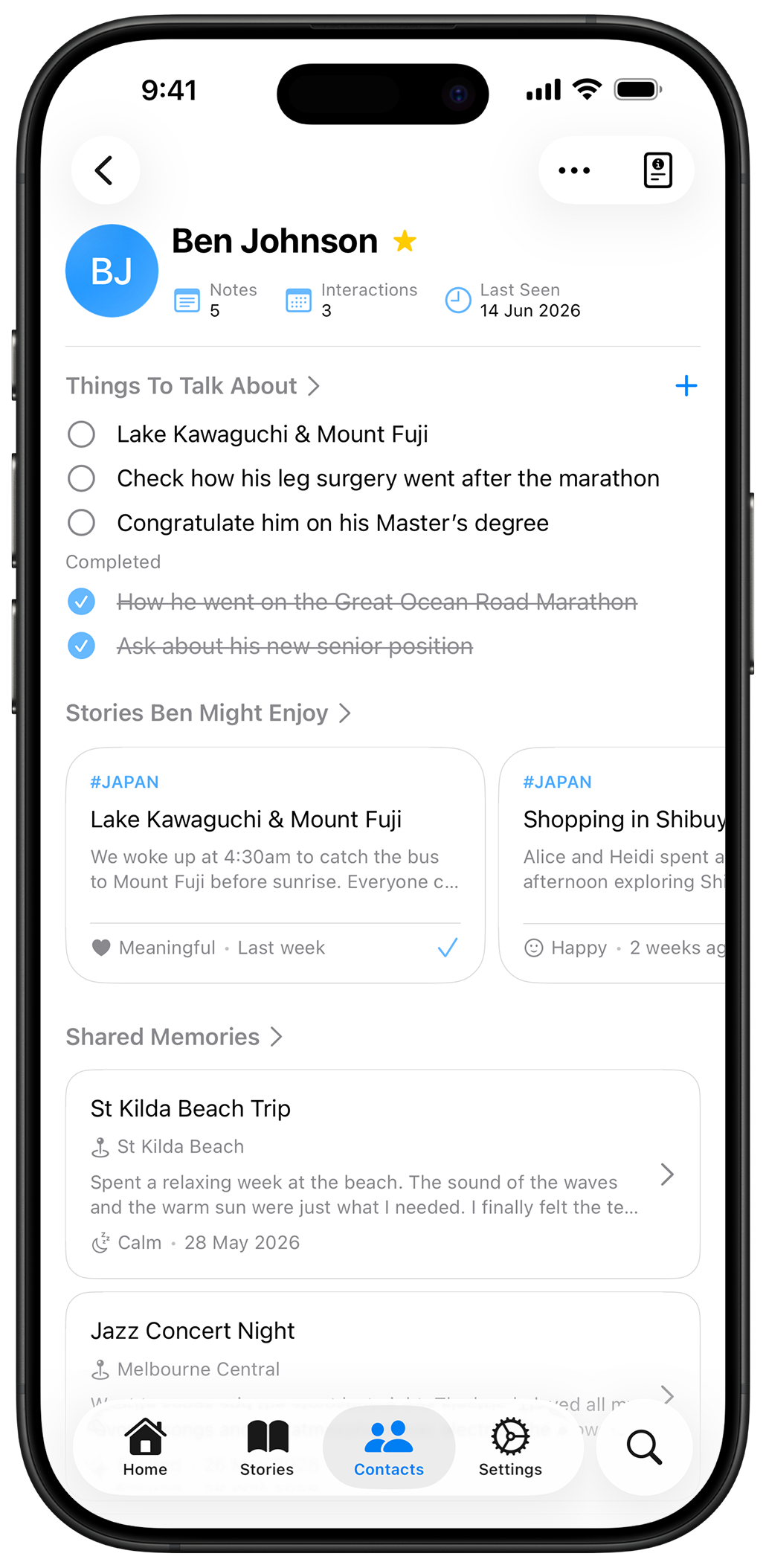
Tag a story when you write it, and Recall automatically matches it to contacts with related interests. When you're about to see someone, their matching stories are right there, ready to add as a talking point in one tap.
Meeting Prep
Walk into every conversation prepared
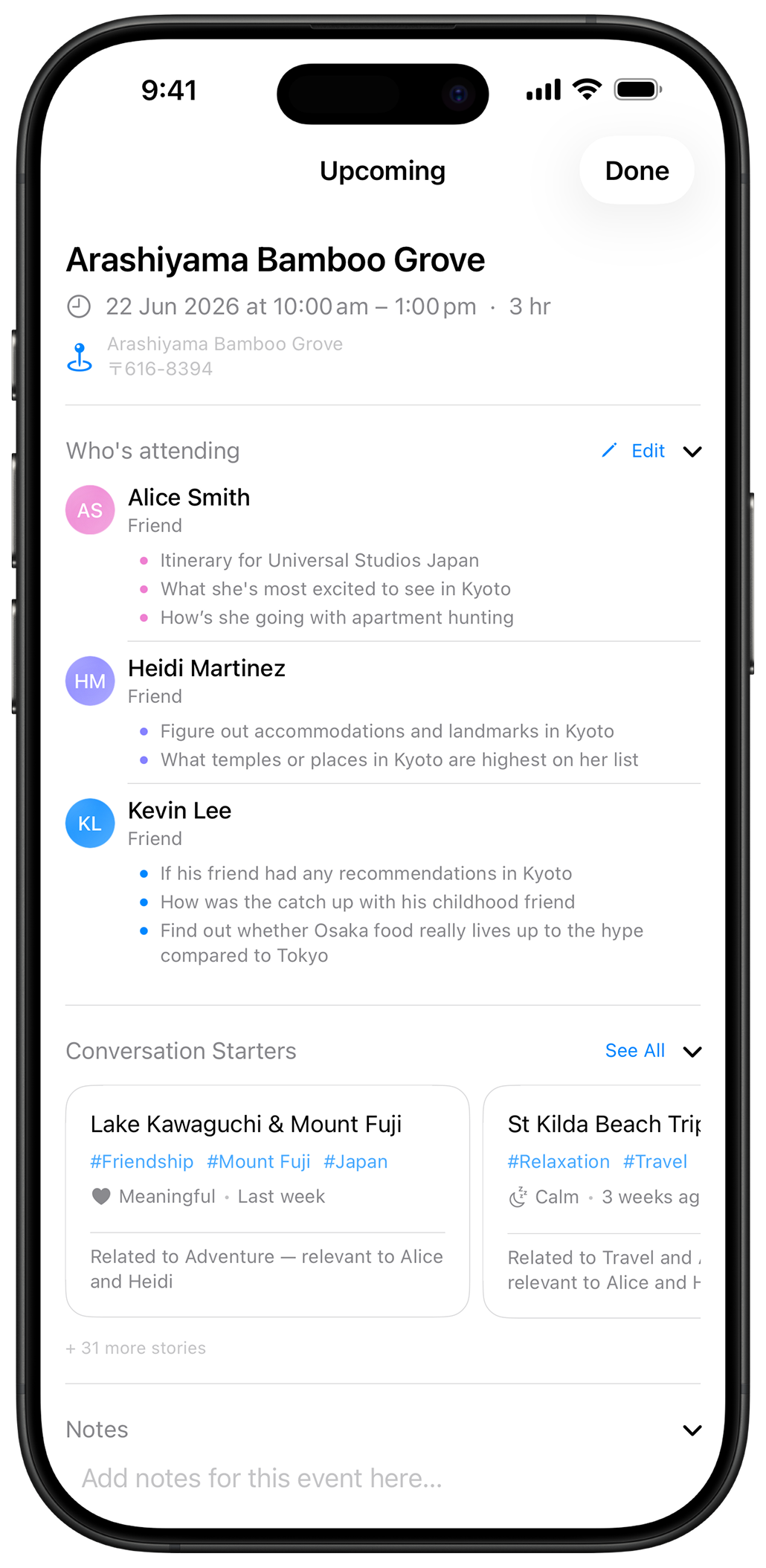
Every upcoming event brings attendees, talking points, and conversation starters into one view. Attendees are pulled automatically from your calendar or added manually, so you always know what you wanted to say and to whom.
Story Writing
Capture experiences worth remembering
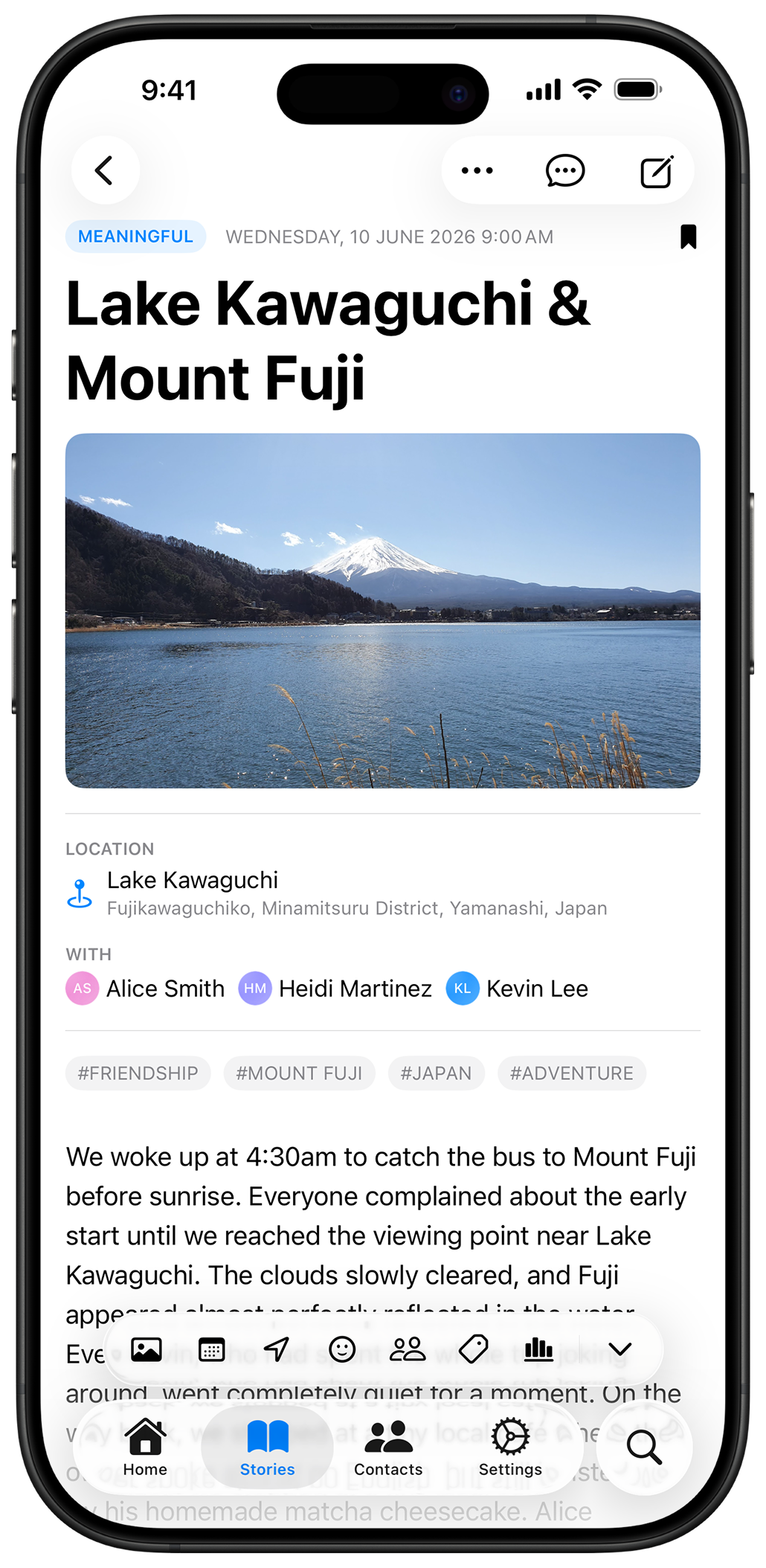
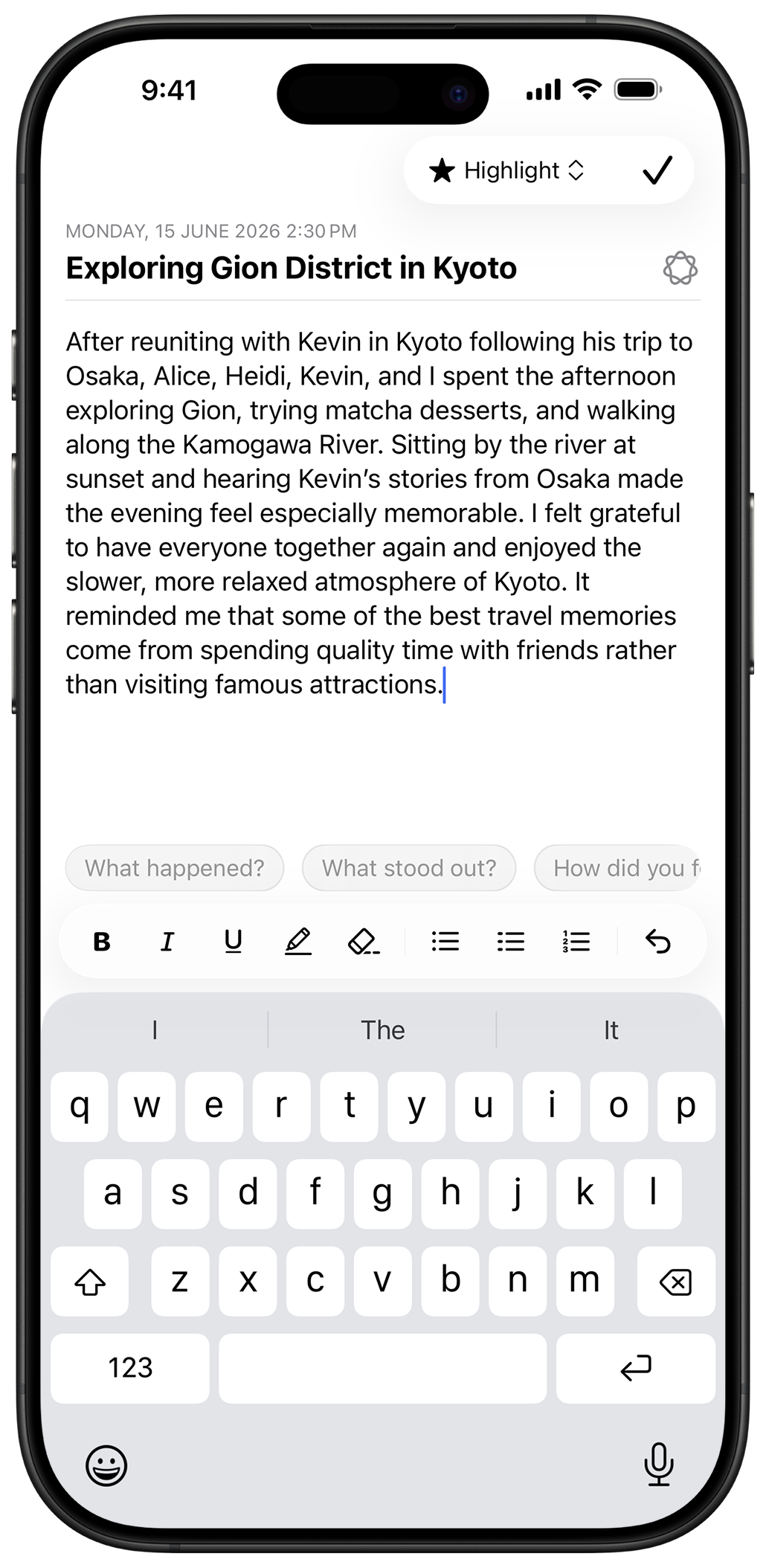
Write the way you want with full formatting, including bold, italic, highlights, and lists, plus writing prompts to help you get started when the page feels blank.
Instant Search
Find the right memory instantly
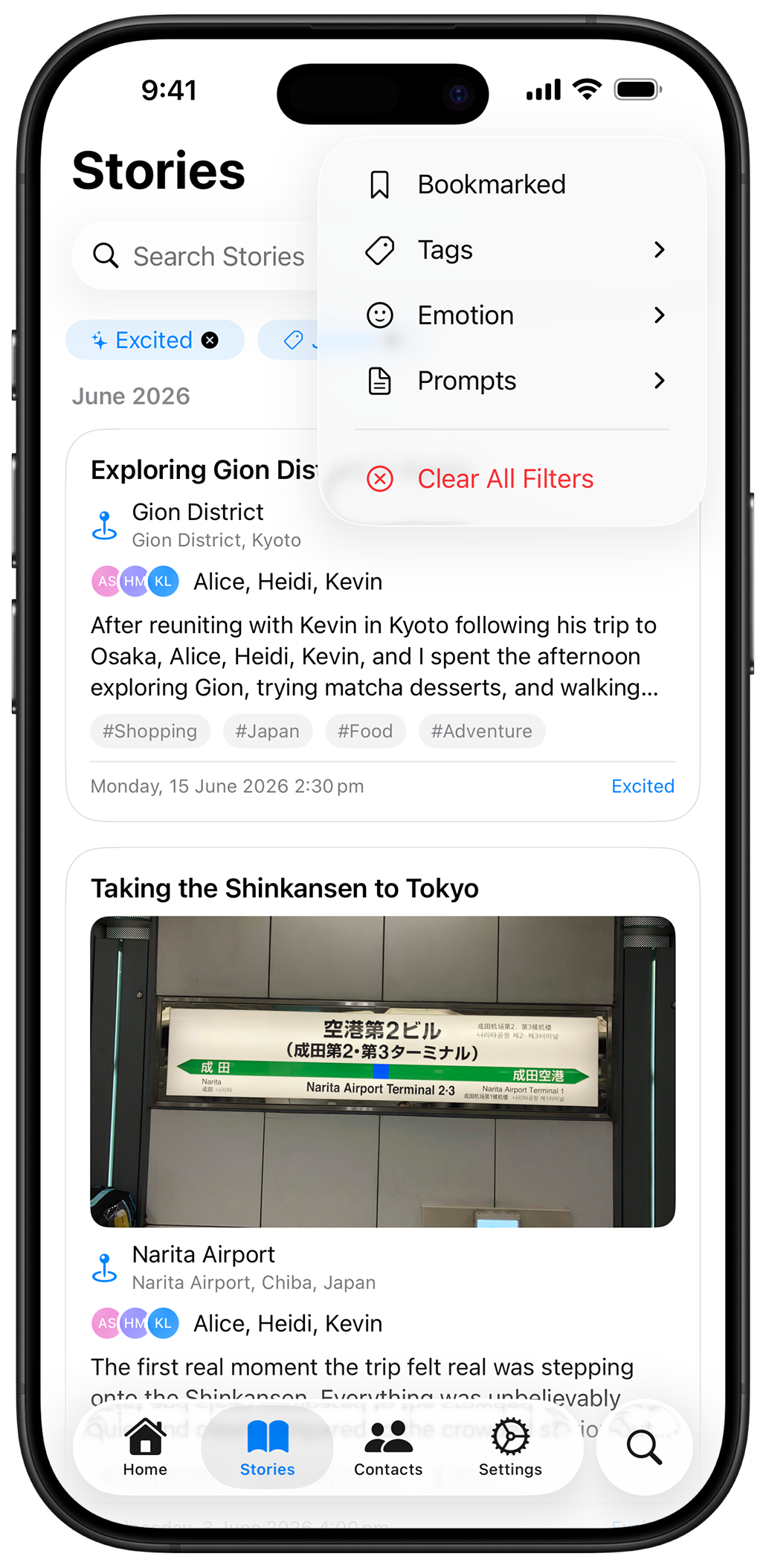
Search and filter across every story, person, event, and tag, so any memory is a few keystrokes away.
Privacy
Your memories stay yours
Recall is designed with a privacy-first approach. Your stories, notes, and personal memories are stored locally on your device and, if you choose, in your personal iCloud account. We do not store your private journal content on servers we operate.
Read the Privacy Policy
FAQ
Common questions about Recall
How Recall helps you remember stories, prepare for conversations, and keep your journal private.
What is Recall?
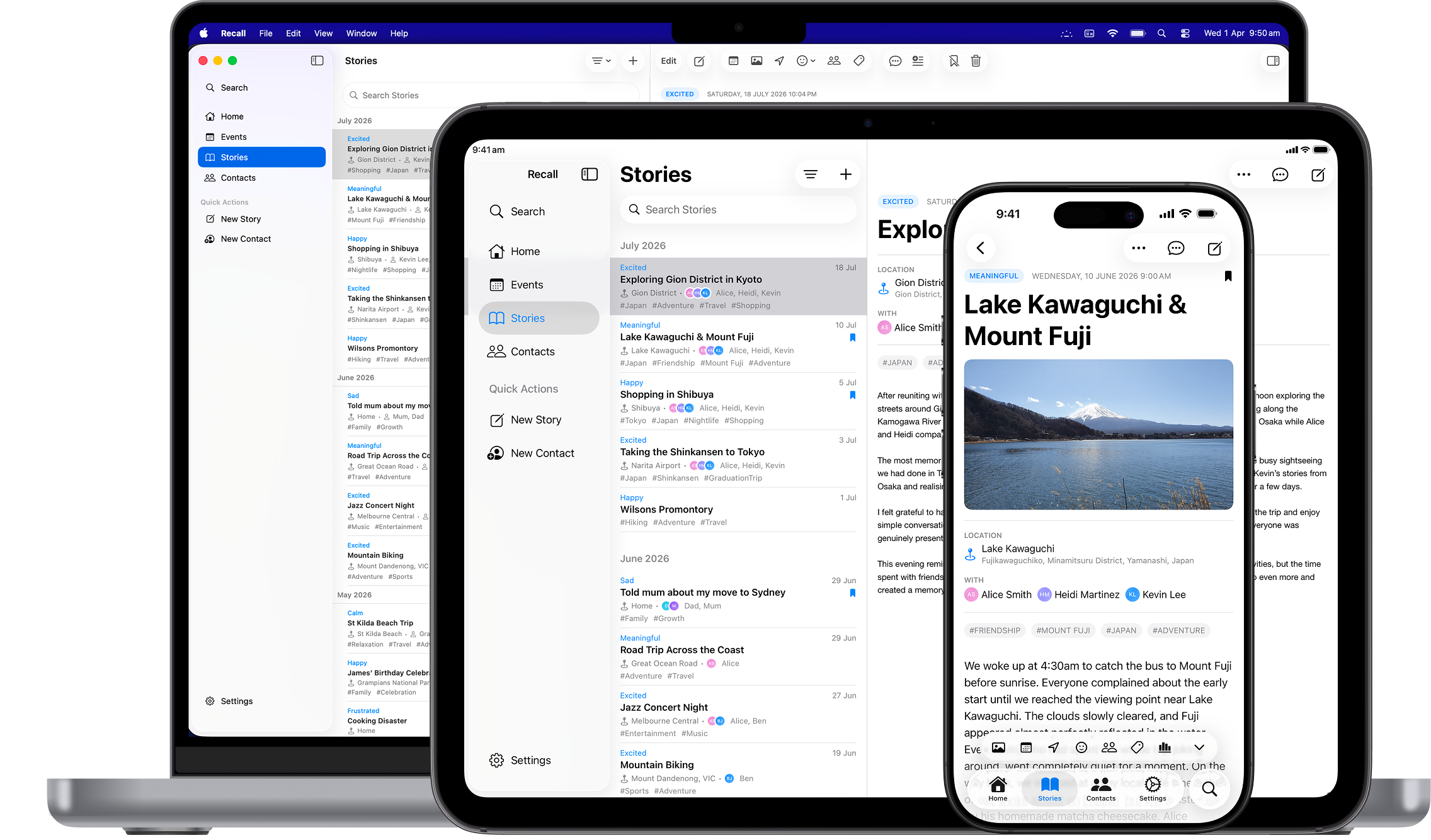
Recall is a free, private journaling and relationship memory app for iPhone, iPad, and Mac. Capture meaningful stories, connect memories to the people in your life, and organise talking points so you can remember more and prepare for conversations.
Which devices can I use Recall on?
Recall is available on the App Store for iPhone, iPad, and Mac. Enable iCloud for Recall to sync your stories and memories across your devices using your personal iCloud account.
How does Recall connect stories to people?
Add tags to a story, and Recall matches it to contacts with related interests. Before meeting someone, browse the stories relevant to them and add a memory as a talking point in one tap.
How does Recall help me prepare for meetings and conversations?
Recall brings upcoming events, attendees, and talking points together so you can remember what you wanted to say and to whom. Import attendees from your calendar or add them manually. Recall Premium adds Conversation Starters with personalised story suggestions for upcoming events.
Can I search for past stories and memories?
Yes. Recall lets you search and filter stories, people, events, and tags to quickly find a past memory or a relevant talking point. Recall Premium also includes Voice Recall, so you can use your voice to instantly access contact details, talking points, and shared memories.
Where does Recall store my journal and memories?
Your stories, notes, and personal memories are stored on your device and, if you enable syncing, in your personal iCloud account. We do not store your private journal content on servers we operate.
Why does Recall ask for contacts and calendar access?
Recall requests contacts access so you can import people you choose, and calendar access to help you prepare for upcoming events. Contact and calendar information stays on your device and is not uploaded to servers we operate.
Does Recall use my stories to train AI?
We do not use your private stories, notes, or memories to train our own AI models. Recall may use on-device Apple Intelligence to suggest story titles, tags, and follow-up talking points. Availability depends on your device and Apple’s supported features.
Is Recall free to use?
Yes. Recall is completely free to use, with optional paid features available through Recall Premium. You do not need a Premium purchase or subscription to use the free app. Current Premium pricing and purchase options are shown on the App Store.
What does Recall Premium include?
Recall Premium unlocks additional tools to help you remember more and prepare better. Voice Recall gives you instant access to contact details, talking points, and shared memories using your voice. Memory Spotlight resurfaces memories daily with helpful context. Widgets & Shortcuts provides quick access from your Home Screen, Action Button, and Siri Shortcuts. Relationship Insights reveals patterns, milestones, and themes across your relationships over time. Story Analytics helps you explore viewing trends, engagement patterns, and meaningful moments over time.
More detail is in the Privacy Policy and Terms of Service.
Start capturing your memories
Available now on the App Store for iPhone, iPad, and Mac.